
HiveCrew - your field team always in the loop.
Today's next job first, with one button for the next step: On my way, Arrived, Complete. Directions, job details, time tracking, photos and videos, and customer updates - all from their phone while they're on the move. The native Android app keeps working offline when there's no signal, and iPhone users install HiveCrew as a web app while our native iOS app awaits App Store approval.
30-day free trialEvery feature, every planFrom £34.99/mo inc VAT
the highlights
rebuilt for the field
The new HiveCrew: one tap to the next step
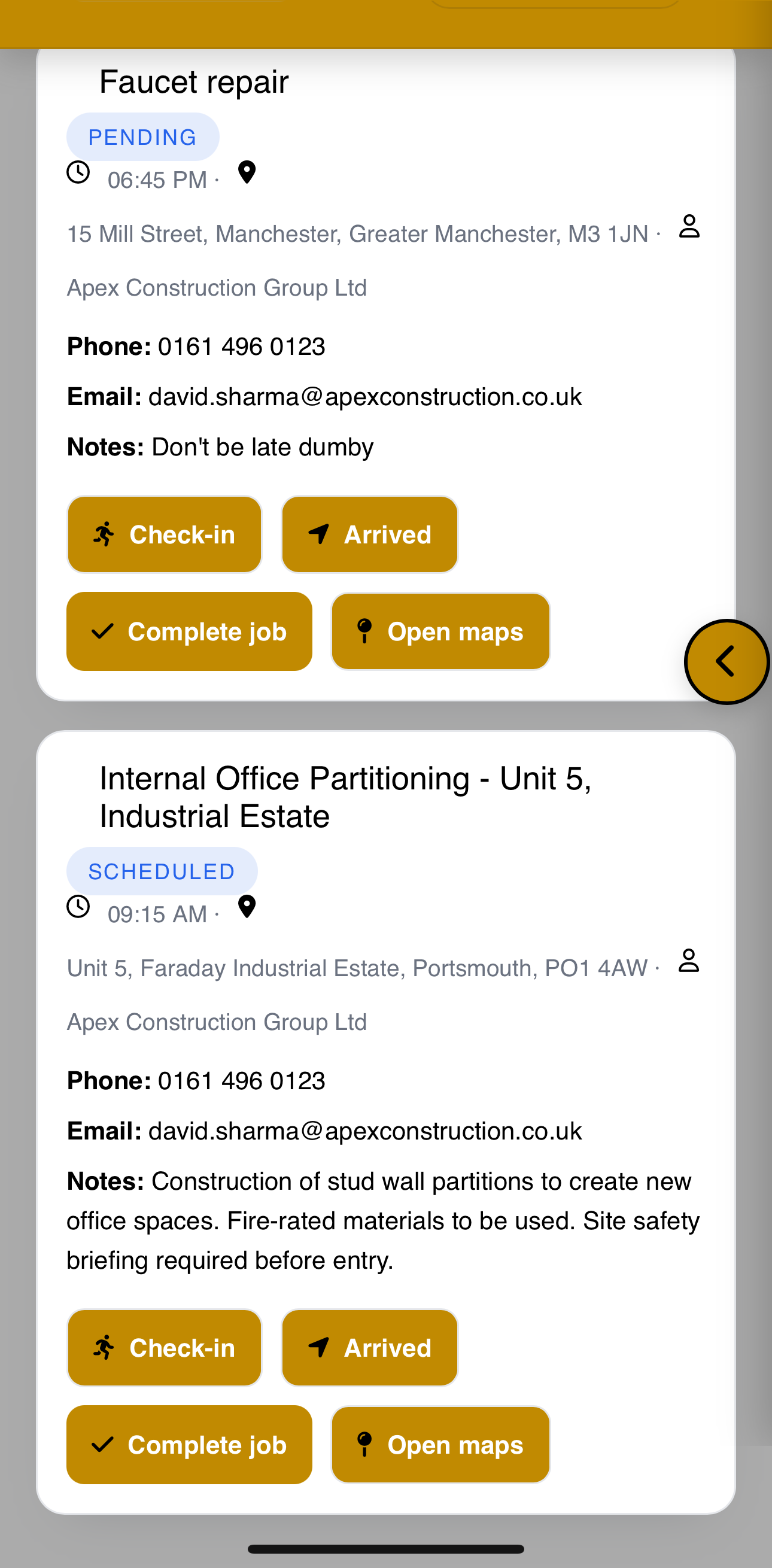
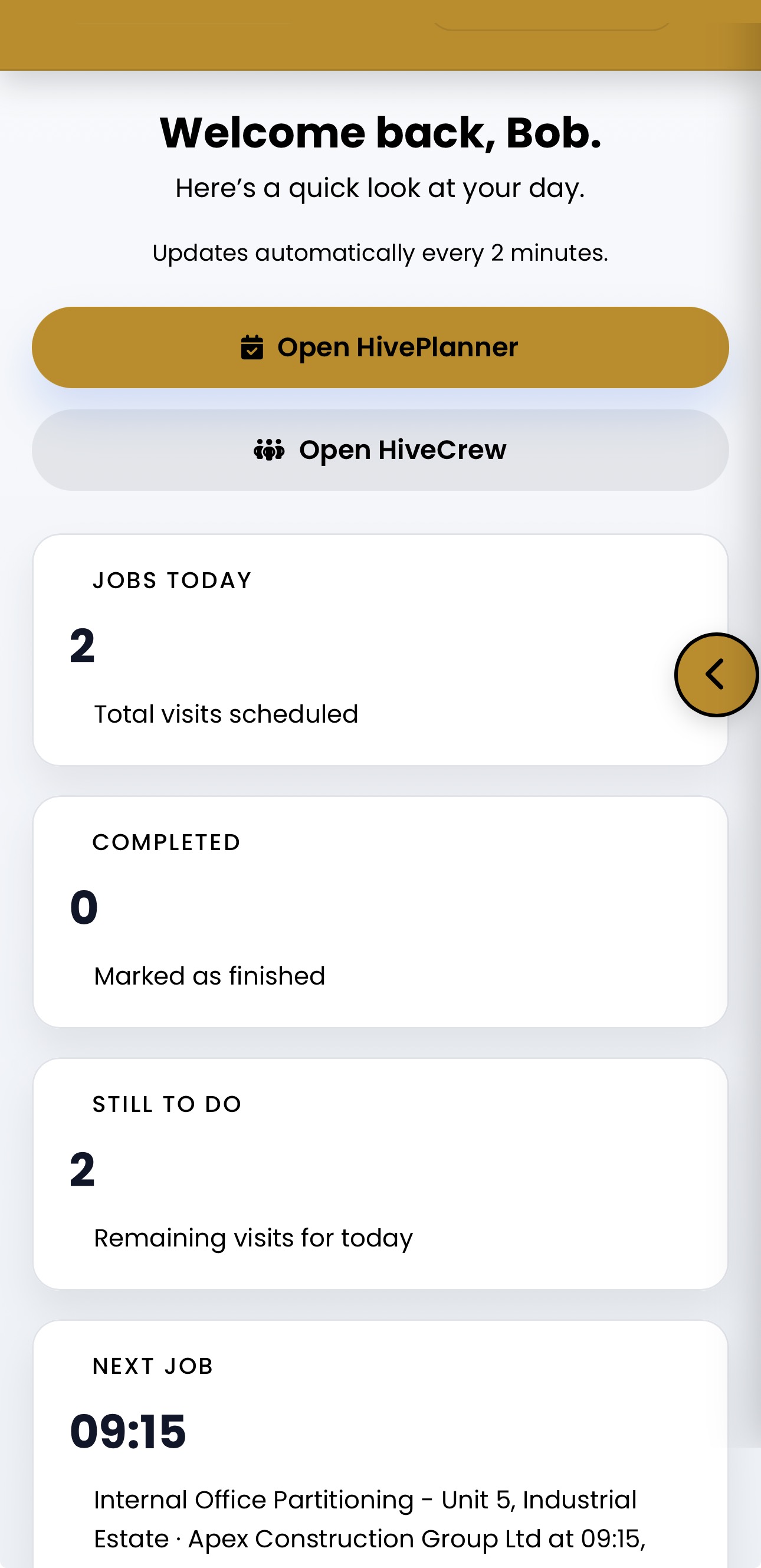
Bigger buttons and three tabs - Today, Jobs and Me. Today puts your next job first with the rest of your day below, and each job is on one page with a button at the bottom for whatever comes next.
- 1
On my way
One tap records your travel time and can email the customer when to expect you, with anything you want to add.
- 2
Arrived
Tap Arrived and the job timer starts. Notes, photos, job lines, materials and certificates are all on the same page.
- 3
Complete
A "Before you complete" list shows anything still needed - certificates, documents - with a button to fill in each one.
Your next job first
The rest of the day underneath, so nobody has to ask the office what is next.
Every job you are on
What is coming up and what is done, each with a call button for the contact. Crew only see their own jobs unless you allow them to see all jobs.
Your time and time off
Your timesheets and hours on each job, asking for time off or reporting sick, and logging a new job.
See where it happened
When a phone shares its location, notes, photos and completed jobs record where they were added, with a View on map link in HivePlanner.
complete field toolkit
Everything your field team needs on the road
Designed for contractors and mobile service businesses who need their team connected without office-based tools.
Android app + iPhone
Native Android app on Google Play. On iPhone, install the PWA from Safari while the native iOS app awaits App Store approval.
Offline modeNew
No signal on site? The Android app carries on working and syncs everything once you are back online.
GPS integration
Instant directions to job sites. Each person picks their preferred maps app: Google Maps, Waze or Apple Maps. Waze is sent the postcode, so it finds the right street.
Photos, videos and notes
Take a photo or video, or choose ones already on your phone, with custom file names. Add job notes and choose which updates are shared with the customer.
Customer updates
Send "on my way", progress, delay and completion updates by email or text to the people you choose - the customer, the location contact or the case handler.
Location contact first
For a job at a location, HiveCrew shows the location contact (for example the tenant) first, and the call and email buttons go to that person.
Time tracking
Check in, pause and resume the job timer, and worked time flows straight into timesheets.
Job details
Customer info, job requirements, site notes, and work order downloads - all on your phone.
Check-in status
Mark when you've arrived, started, or completed a job, with location captured. Keep the office updated live.
Issue reporting
Flag issues as info, warning, or blocker. Warnings and blockers can email the office straight away.
Certificates and documents
Issue certificates from your templates on site, with checklists and signatures captured on the phone. Library documents such as RAMS attached to the job are there too.
Job lines and materials
Record the stock taken for a job - with how many are left - and put back what wasn't used. Where you allow it, crew can see or edit the job's services and products, with or without prices.
Time offNew
See days of holiday left, ask for time off and report sick from the HiveCrew dashboard. How Time Off works
Expenses and site log
Log expenses with receipts and record site log visits with photos and checklists, where your admin allows it.
My vehicle, with HiveFleet
With HiveFleet switched on, crew see the vehicle they are in today, do a quick daily vehicle check, report problems with a photo and log mileage and fuel - with no signal in the Android app.
No signal on site? Keep working.
Lofts, basements, plant rooms, rural driveways and event fields all have one thing in common: patchy signal. The HiveSuite Android app keeps a secure copy of your work on the phone, so your team can carry on and everything syncs automatically when they are back online.
Offline mode is switched on for every account. Each change is sent once and only once when the connection returns, and nothing queued on the phone is thrown away - if something needs a second look, it is flagged for you to review rather than lost.
Offline mode is part of the native Android app. On iPhone, HiveSuite runs as an installable web app that needs a connection; offline mode will come to iPhone with the native iOS app once Apple approves it.
Your jobs, ready offline
Today, the next 30 days, the last week and anything overdue, plus customer details, site notes and certificate templates.
Check in and time jobs
Mark arrived, check in, pause, resume and complete jobs. Times are recorded when you did them, not when the phone reconnects.
Updates, photos and issues
Add job updates with photos, flag issues, log materials and cost lines, and add customer notes.
Certificates on site
Fill in and issue certificates from your templates, including signatures. The PDF is produced when the job syncs.
New customers, quotes, jobs
Create a customer, log a new job or write a quote with no signal. Save the quote as a draft or set it to send once you are back online.
HiveHire field steps
Dispatch, on hire, off-hire requests, collections, returns and charging pauses work offline, and admins get an offline hire board.
Stay connected
Get job updates and messages instantly. No calling the office for details.
Save time on-site
Everything you need is in your pocket. No paper forms or missed instructions.
Better customer service
Send live updates and photos directly to customers. Build trust on every job.
Less paperwork
Everything digital, everything accessible. No lost forms or missing information.
Native Android app with offline mode. iOS app on the way.
HiveCrew is available as a native Android app on Google Play, with offline mode for jobs in basements, rural sites and anywhere else the signal drops. On iPhone, install HiveSuite from Safari as a Progressive Web App with push notifications - our native iOS app is built and waiting on App Store approval. Desktop users simply use the browser.
- Native Android app - download from Google Play
- Offline mode on Android - work with no signal, sync laterNew
- PWA on iPhone - install from Safari with push notifications
- Native iOS app - awaiting App Store approval
- Full-screen app experience on any device
